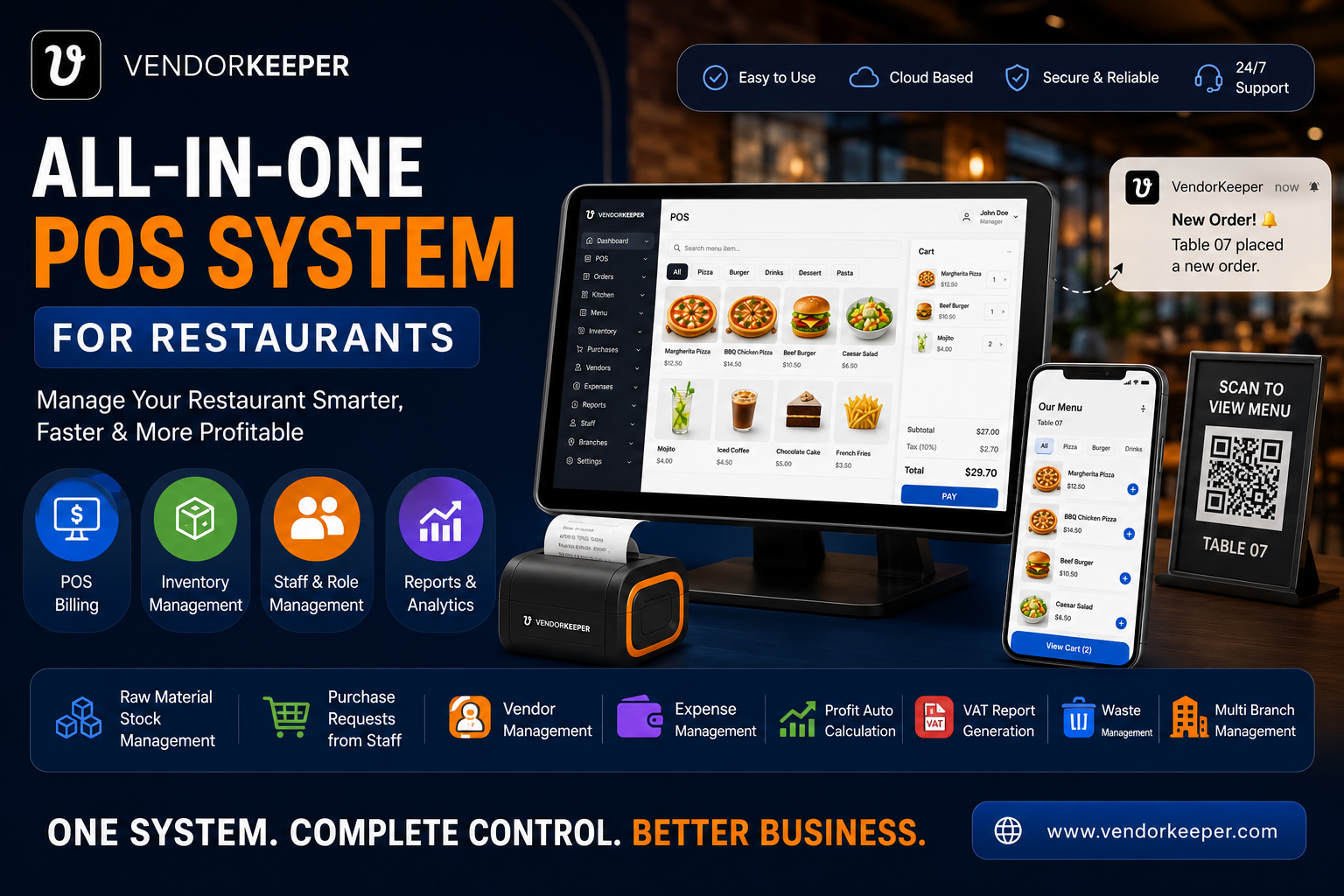
Restaurant inventory management is the difference between a restaurant that thrives and one that bleeds money quietly until it closes. The industry standard is chilling: most restaurants have no idea what their real-time food cost is on any given day. They find out at month-end — when it is too late to change anything.
This complete guide to restaurant inventory management covers everything from the basics of stock tracking to advanced ingredient-level control — and shows how VendorKeeper makes professional inventory management accessible to every restaurant, regardless of size.
Why Restaurant Inventory Management Matters
Inventory is your second-largest cost after labour. For most restaurants, food and beverage purchasing represents 28–35% of total revenue. Managed poorly, it could be 38–42%. That 4–7% gap is the difference between profit and loss.
Beyond cost control, effective inventory management:
- Prevents running out of key ingredients during service
- Eliminates emergency purchases at retail prices
- Identifies waste, spoilage, and theft
- Provides accurate COGS data for financial reporting
- Enables data-driven menu engineering — removing low-margin, high-waste items
The Three Levels of Restaurant Inventory Management
Level 1: Product-Level Tracking (Basic)
Tracking finished products — how many burger patties, how many pizza boxes, how many dessert portions. This is the entry level, and it is better than nothing — but it is insufficient for food cost control because it cannot tell you why your chicken cost is high.
Level 2: Ingredient-Level Tracking (Professional)
Tracking raw materials — 180g chicken breast per main, 40ml sauce per portion, 30g cheese per pizza. This level tells you exactly how much of each ingredient you consumed, versus how much you purchased — revealing variance, waste, and theft.
Level 3: Recipe-Based Auto-Deduction (Advanced)
The gold standard. Every dish sold automatically triggers deduction of all recipe ingredients from stock in real time. No manual counting. No end-of-week stock takes. Inventory is always accurate — after every single sale.
VendorKeeper operates at Level 3 — the advanced standard.
Core Inventory Features in VendorKeeper
Recipe-Based Automatic Stock Deduction
Define recipes for every menu item — right down to garnishes and sauces. When a dish is sold, VendorKeeper automatically deducts all ingredient quantities from raw material stock. Your inventory count is real-time accurate, not weekly-estimate accurate.
Low Stock Alerts
Set minimum quantity thresholds for every ingredient. VendorKeeper monitors all stock levels continuously and fires push notifications to the manager's phone the moment any ingredient approaches the minimum.
This is the end of mid-service discoveries that you have run out of a key ingredient. The alert arrives hours before service begins — giving enough time to order or 86 the dish from the menu.
Purchase & Stock History
VendorKeeper maintains a complete chronological record of:
- Every delivery received (quantity, supplier, date)
- Every item consumed (by sale or logged waste)
- Every stock transfer (between branches)
- Every manual stock adjustment (with reason and responsible staff member)
This unbroken audit trail is invaluable for food cost analysis, supplier performance assessment, and inventory dispute resolution.
Waste & Damage Tracking
Every food loss event — spoilage, trim waste, cooking errors, dropped items — is logged separately from normal consumption. This separates operational efficiency waste from production waste, enabling targeted improvement actions.
Stock Transfer Between Branches
For multi-branch operators, VendorKeeper's inter-branch stock transfer module allows surplus stock from one location to be transferred to another — recorded instantly in both inventories with a full transfer audit log.
The Stock Take Process with VendorKeeper
Traditional stock takes are time-consuming, disruptive, and error-prone. With VendorKeeper's continuous automatic tracking, the need for frequent full stock takes is dramatically reduced.
Recommended workflow:
- Daily: Spot-check 3–5 high-value or high-waste ingredients against the VendorKeeper count
- Weekly: Verify counts on all proteins and premium ingredients
- Monthly: Full count across all categories — primarily to validate the system and catch any variance
Because VendorKeeper's auto-deduction is recipe-based, variance between system count and physical count indicates one of three things: waste that was not logged, supplier short deliveries, or theft. All three are actionable.
Inventory Reports: Turning Data into Decisions
VendorKeeper's inventory reporting provides:
Current Stock Valuation: The current market value of all stock on hand — updated in real time after every sale and delivery.
Stock Movement Report: Consumption and purchase history for any ingredient over any time period.
Variance Report: Difference between theoretical consumption (based on sales) and actual consumption (based on physical counts) — revealing waste and shrinkage.
Low-Stock History: Track which ingredients trigger low-stock alerts most frequently — informing purchasing pattern adjustments.
Supplier Performance: Volume, frequency, and value of purchases per supplier — supporting supplier relationship management and pricing negotiation.
Inventory Management for Specific Restaurant Types
Fine Dining: Recipe precision to the gram, allergen tracking, and premium ingredient traceability — VendorKeeper handles the precision economics of tasting menus.
QSR & Fast Food: High-volume automatic deduction, low-stock alerts before rush periods, and waste tracking to manage the slim margins of fast service.
Cafés: Bean, milk, and syrup tracking by portion — the most granular level of ingredient management for beverage-led businesses.
Multi-Branch Chains: Centralised inventory visibility across all locations, inter-branch transfers, and group-level purchasing analytics.
FAQs: Restaurant Inventory Management
What is the best way to manage restaurant inventory? The best approach is recipe-based automatic deduction — where every sale triggers real-time stock deduction of all recipe ingredients. This keeps inventory accurate continuously without manual effort. VendorKeeper implements this as a core feature.
How often should a restaurant do a stock take? With VendorKeeper's continuous auto-tracking, daily full stock takes are unnecessary. Spot checks (daily), protein counts (weekly), and full validation (monthly) provide adequate accuracy.
How does inventory management reduce food cost? Accurate real-time inventory reveals over-purchasing (buy less), identifies waste patterns (fix them), prevents emergency restaurant purchases (avoid premium prices), and enables menu engineering to remove high-cost, low-margin items.
Can VendorKeeper track inventory across multiple restaurant locations? Yes. VendorKeeper provides independent inventory management per branch with centralised visibility, inter-branch transfer capability, and group-level reporting.
What is the difference between product-level and ingredient-level inventory? Product-level tracks finished items (a burger). Ingredient-level tracks the components (180g beef, 1 bun, 30g sauce). Ingredient-level tracking is required for accurate food cost control — product-level tracking cannot explain why costs are high.