Top 5 Restaurant POS Systems in 2026: Pricing & Selection Guide
In 2026, running a restaurant without a modern Point of Sale system is like trying to navigate a city without a map. A restaurant POS system is no longer just a cash register — it is the operational nerve center of your entire business. It manages orders, tracks every ingredient, coordinates your kitchen, handles staff accountability, and generates real-time profit insights at the touch of a button.
With dozens of restaurant POS systems competing for your budget, choosing the right one is one of the most consequential decisions a restaurant owner can make. The wrong system leads to wasted money, frustrated staff, and operational chaos. The right one pays for itself many times over through reduced food waste, faster service, and smarter purchasing decisions.
In this definitive guide, we will walk you through 5 critical steps for choosing the right restaurant POS, compare the Top 5 Best Restaurant POS Systems of 2026 in detail, and explain exactly why VendorKeeper ranks #1 for any restaurant — globally.
Key Takeaways
- List your must-have POS features and set a clear budget so you do not overpay for tools you will never use.
- Get demos or free trials before committing to make sure the system actually fits your daily workflow and kitchen setup.
- Get feedback from your staff and customers early — the people who use the system daily must feel comfortable with it.
- Prioritize offline capability — a POS that stops working when your internet drops will cost you sales and customer trust.
- Avoid proprietary hardware lock-in — the best systems run on the Android and Windows devices you already own.
5 Steps to Choosing the Right Restaurant POS System
Step 1: Identify What You Need and What You Can Afford
Before evaluating any system, you must understand your own restaurant's operational model. Are you running a quick-service counter with high transaction volume and a small menu? Or do you manage a full-service restaurant with complex table layouts, modifiers, and multi-course billing? These are fundamentally different operational environments that require different POS capabilities.
Create two lists:
- Must-Have Features: The non-negotiables without which your operation cannot function. Example: offline billing, kitchen order tickets (KOT), ingredient-level inventory.
- Nice-to-Have Features: Features that would improve efficiency but are not critical on day one. Example: QR code self-ordering, loyalty program integration, advanced analytics dashboards.
Budget considerations to map out upfront:
| Cost Factor | What to Evaluate |
|---|---|
| Upfront Hardware Cost | Does the POS require proprietary iPads or terminals, or does it run on your existing Android/Windows devices? |
| Monthly Subscription Fee | Is pricing per terminal, per location, or a flat rate? What features are included vs. locked behind premium tiers? |
| Transaction Fees | Does the system charge a percentage of every transaction? This can become very expensive at high volume. |
| Hidden Costs | Installation fees, onboarding fees, training costs, hardware shipping fees, and integration fees. |
| Scalability Cost | What does the price look like when you add a second branch, more terminals, or more staff accounts? |
Step 2: Look for These Key Features
When evaluating any restaurant POS system shortlist, verify that it covers the following critical capability areas:
Inventory Management: Does the system track ingredients at the item or recipe level? A true inventory POS automatically deducts raw materials when a dish is sold — not just the finished product. This is essential for calculating real food costs and preventing kitchen waste.
Kitchen Order Tickets (KOT) & Kitchen Display System (KDS): Your POS must send orders directly to the kitchen the moment payment is initiated or the order is placed. Eliminating verbal relay between front-of-house and kitchen reduces errors by up to 35%.
Multi-Branch Management: If you have or plan to open more than one location, your POS must offer a centralized dashboard where you can see all branches' stock levels, sales figures, and staff activities from a single login.
Vendor and Supplier Management: Restaurants operate on supplier credit. Your POS should include a supplier module to log purchase orders, track due payments, and manage vendor balances — replacing unreliable paper books entirely.
Offline Billing Mode: Internet connections fail. A POS that stops working when your internet drops will cost you sales at the worst possible moment. Look for systems with true local-first architecture that continue billing, printing KOTs, and processing payments during complete internet outages.
Platform Flexibility: The best POS systems run on the hardware you already own — Android tablets, Windows laptops, and web browsers. Systems that require expensive proprietary iPads or custom hardware add thousands to your startup cost for zero operational benefit.
Step 3: Evaluate the True Total Cost of Ownership
Surface-level pricing (the monthly subscription fee) rarely tells the whole story. When comparing systems, calculate the full 12-month cost:
12-Month Total Cost =
  Hardware Cost
  + (Monthly Subscription × 12)
  + Transaction Fees (estimated annual volume × per-transaction rate)
  + Onboarding / Installation Fees
  + Support / Maintenance Fees
  + Integration Fees (accounting, delivery, loyalty)
A system with a higher monthly fee but zero hardware cost, zero transaction fees, and no per-integration charges is almost always cheaper over 12 months than a system with a low headline subscription but expensive proprietary hardware and per-transaction charges.
Always negotiate. Many POS vendors offer discounts for annual payment, multi-location deals, or referral credits. Never accept the first quoted price without asking.
Step 4: Insist on a Live Demo or Free Trial
No amount of marketing material or sales comparison tables can substitute for actually using the system in your restaurant's real environment. Before signing any contract:
- Run a full live demo with your actual menu items, modifiers, and table layout configured.
- Process test transactions across every payment method you accept (cash, card, QR payment).
- Test offline mode — disconnect the internet and verify the system continues to function.
- Test KOT printing — place an order and confirm the kitchen printer fires within 2 seconds.
- Test the management dashboard — generate a sales report, check inventory levels, view a vendor ledger.
If a vendor is reluctant to offer a genuine trial period, treat that as a major red flag.
Step 5: Get Feedback from Your Staff and Customers
Your staff will use this system for hundreds of transactions every single day. If the interface is confusing, slow, or unreliable, it will directly harm your service quality and increase staff turnover. Involve your team:
| Questions for Your Staff | Questions for Your Customers |
|---|---|
| Is the interface easy to learn without extensive training? | Was the ordering and payment process smooth? |
| Can you process a full order in under 30 seconds? | Did you experience any delays? |
| Does the system handle your most complex modifier combinations? | Was the receipt clear and professional? |
| What happens when the internet drops? | Would the checkout experience bring you back? |
| Is the KOT clear and readable in the kitchen? | Did you feel your order was taken accurately? |
Top 5 Best Restaurant POS Systems in 2026
After comprehensive research, operational analysis, and direct comparisons across pricing, features, hardware flexibility, and global market support, here are the top 5 restaurant POS systems that every restaurant owner must evaluate in 2026.
🥇 #1 — VendorKeeper: Best Overall Restaurant POS for Any Restaurant, Globally
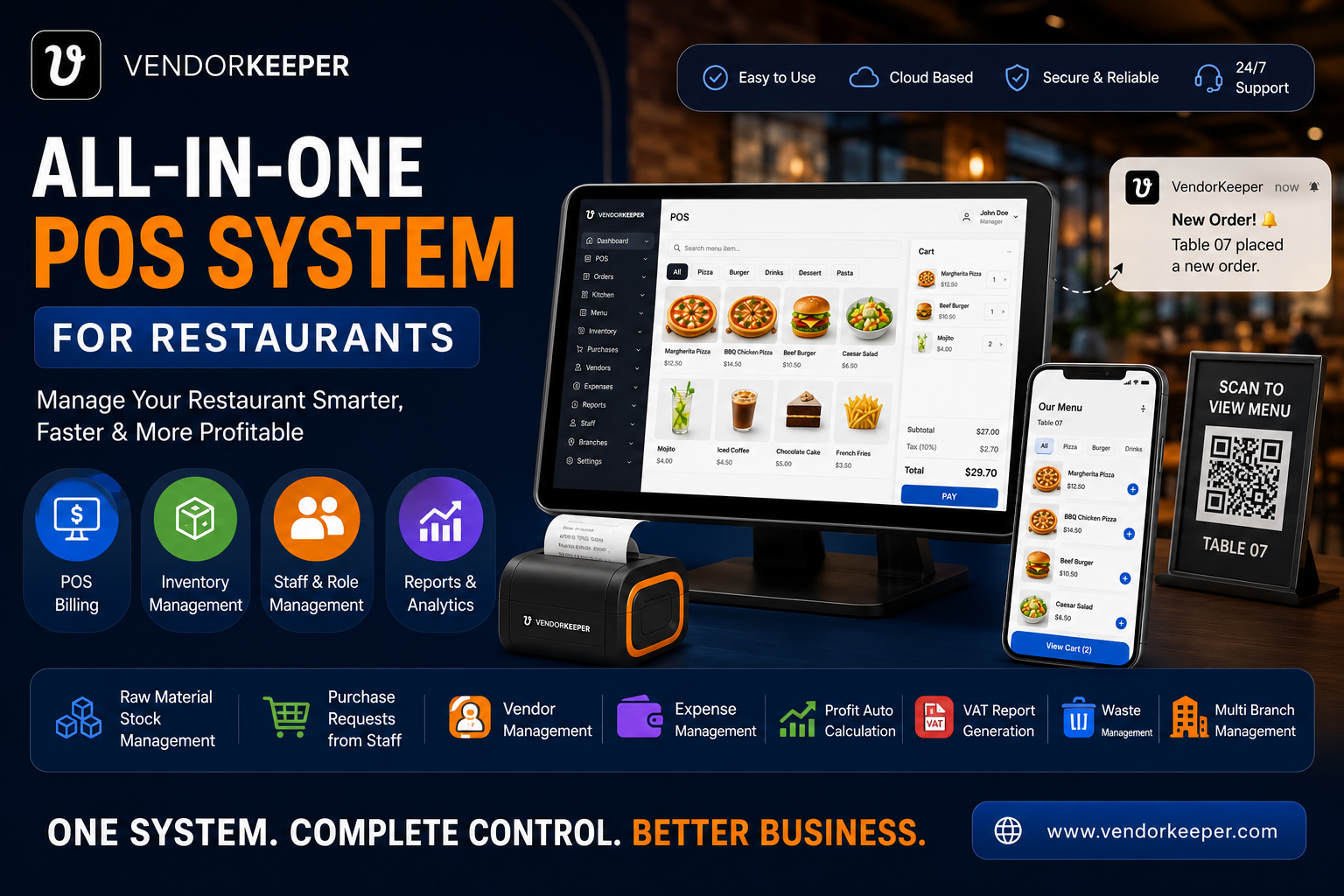
VendorKeeper is the definitively modern, all-in-one restaurant POS platform engineered for the realities of the global restaurant industry in 2026. Unlike US-centric competitors built around iPad ecosystems and proprietary hardware, VendorKeeper runs on the devices restaurant operators worldwide already own — Android smartphones and tablets, Windows laptops and desktops, and any web browser.
It is the only system in this comparison that combines enterprise-grade restaurant management (multi-branch oversight, ingredient-level inventory, vendor purchase approval workflows, QR self-ordering) with true offline resilience and platform freedom — at a price point that makes it accessible to independent restaurants, growing chains, and multi-location groups simultaneously.
┌────────────────────────────────────────────────────────────────────┐
│                    VENDORKEEPER — RANKED #1                         │
├──────────────────────────┬─────────────────────────────────────────┤
│  ✅ Android App          │  Google Play Store — Free to Download   │
│  ✅ Windows Desktop App  │  Microsoft Store — Certified            │
│  ✅ Web Dashboard        │  Any Browser — Complete Back Office      │
├──────────────────────────┴─────────────────────────────────────────┤
│  ✅ 100% Offline Mode: Never lose a sale, ever.                    │
│  ✅ Ingredient-Level Inventory Deduction per Recipe                │
│  ✅ Multi-Branch Centralized Dashboard                             │
│  ✅ Vendor & Supplier Credit Management                            │
│  ✅ Kitchen Order Ticket (KOT) & KDS Routing                       │
│  ✅ QR Code Self-Ordering for Tables                               │
│  ✅ Real-Time Profit & Sales Analytics                             │
│  ✅ Staff Roles, Permissions & Activity Audit                      │
└────────────────────────────────────────────────────────────────────┘
Why VendorKeeper Ranks #1: The Feature Breakdown
📱 Android App — Available on Google Play Store
Turn any Android smartphone or tablet into a full, professional restaurant POS terminal. VendorKeeper's native Android app provides the complete POS experience — fast billing with modifier support, barcode scanning, kitchen order ticket transmission, table management, offline mode, and Bluetooth receipt printing — on any Android 8+ device.
An Android tablet and a Bluetooth thermal printer (combined cost: under $150) creates a complete, professional restaurant billing terminal. There is no proprietary hardware requirement, no locked ecosystem, and no minimum hardware spend.
- Download directly from Google Play Store: VendorKeeper on Play Store
💻 Windows Desktop App — Available on Microsoft Store
For restaurants that prefer counter-based Windows setups with dedicated USB thermal printers, cash drawers, and barcode scanners, VendorKeeper provides a native, high-performance Windows desktop application available on the Microsoft Store. Any Windows 10/11 laptop, desktop, or touch-screen all-in-one becomes a full, enterprise-grade restaurant POS terminal in under 3 minutes of installation time.
This means restaurants do not need to buy expensive iPads or proprietary terminals. Your existing Windows hardware is your POS hardware.
- Download the Windows app from the Microsoft Store: VendorKeeper on Microsoft Store
🔌 100% Offline-First Architecture — The Most Critical Differentiator
During peak service — a Friday dinner rush, a Saturday lunch surge — an internet outage at a system that requires constant cloud connectivity will bring your entire operation to a halt. This is unacceptable.
VendorKeeper is built on a local-first database architecture. Every device runs a complete local copy of your restaurant data. If your internet router fails, your cashiers continue billing, your kitchen continues receiving KOTs, and your customers receive printed receipts — without any interruption. The moment your network restores, all offline transactions sync automatically to the centralized cloud database with zero data loss.
📊 Ingredient-Level Inventory Deduction
When a customer orders a Double Espresso with Oat Milk, VendorKeeper does not just deduct "one coffee" from your stock. It deducts the precise amount of coffee beans (e.g., 18 grams), oat milk (e.g., 200 ml), a paper cup, and a plastic lid — according to the recipe you defined for that item. This real-time, ingredient-level deduction allows you to calculate your exact food cost percentage at any moment, identify wastage and pilferage, and set accurate low-stock reorder alerts.
🏪 Multi-Branch Centralized Management
Whether you have 2 branches or 20, VendorKeeper provides a single centralized management dashboard from which an owner can:
- View real-time sales figures and profit reports for every branch
- Check ingredient and product stock levels across all locations
- Initiate inter-branch stock transfers to balance inventory
- Monitor staff activity and cashier-specific sales across all outlets
- Approve vendor purchase orders submitted by branch managers
🤝 Vendor and Supplier Credit Management
VendorKeeper includes a full vendor management module — a feature conspicuously absent from most competitors. Record every supplier, log every purchase invoice, track outstanding due balances, and review the full transaction history for every vendor your restaurant uses. This replaces informal paper credit books with a structured, auditable digital ledger that protects your cash flow.
VendorKeeper Pricing
VendorKeeper offers a transparent, hardware-inclusive pricing model. Because the system runs on your existing Android and Windows devices (no mandatory hardware purchase), the effective total cost of ownership is dramatically lower than competitors:
- No proprietary hardware required — use your existing Android tablets or Windows PCs
- No per-transaction fees — unlike Square, no percentage cut from every sale
- Offline-first — no forced cloud dependency that creates operational risk
- Multi-branch included — not locked behind expensive enterprise tiers
VendorKeeper Unique Features
- Runs on Android, Windows, and Web — the widest platform support of any restaurant POS
- True offline billing mode with automatic sync — never lose a transaction
- Ingredient-level recipe-based inventory deduction
- Kitchen Order Ticket (KOT) routing to kitchen printers or KDS screens
- QR code self-ordering for dine-in tables
- Vendor purchase order management with due balance tracking
- Staff roles, permissions, and cashier-level activity audit logs
- Multi-branch centralized dashboard with inter-branch stock transfer
- Real-time profit, COGS, and sales analytics
- Bulk product import via CSV/Excel
- Customizable receipt templates with logo and VAT/tax support
🥈 #2 — Toast POS: Best POS for Large Full-Service Restaurant Operations
Toast is a dedicated restaurant POS built in the United States and widely deployed in American and international chain restaurants. It offers a strong kitchen display system (KDS), comprehensive reporting, and a well-developed ecosystem of third-party integrations.
Toast is a strong choice for: Large US-based restaurant chains, high-volume full-service restaurants with complex table management needs, operators who require a large ecosystem of supported integrations.
Toast Pricing: Plans start from $0/month (Pay-As-You-Go with hardware costs) to $69–$165/month for mid and advanced plans. Premium features and hardware (Toast's proprietary terminals are mandatory) increase costs significantly.
Key Features:
- Touchscreen interface optimized for high-volume order flow
- Integrated online ordering and delivery platform connectivity
- Comprehensive reporting and analytics suite
- Loyalty and gift card management
- Employee scheduling and labor cost management
- Kitchen Display System (KDS) with live order tracking
Limitations vs. VendorKeeper:
- Requires proprietary Toast hardware — no Android or Windows device support. Hardware lock-in adds $1,100–$1,950 per terminal.
- No true offline mode — extended internet outages can disrupt service.
- Expensive for small and medium-sized independent restaurants.
- Customer support response times have been widely reported as inconsistent.
- Per-transaction processing fees add up significantly at high volume.
🥉 #3 — Square for Restaurants: Best POS for Very Small Restaurants and Startups
Square is the most accessible and beginner-friendly restaurant POS on the market. Its free tier and transparent pricing make it the natural first choice for new restaurant operators, pop-up food stalls, food trucks, and very small cafés that need to start processing payments immediately with minimal setup complexity.
Square is a strong choice for: Brand new restaurants, food trucks, pop-up vendors, solo operators, and small cafés with simple menus and low transaction complexity.
Square Pricing: Free basic features. Paid restaurant plans start at $60/month. Processing fees of 2.6% + $0.10 per transaction apply to all payments.
Key Features:
- Extremely simple setup — start processing in minutes
- Works on existing iPads (though proprietary Square hardware is also available)
- Integrated payment processing with transparent fee structure
- Basic online ordering and delivery integration
- Menu management and simple modifier support
- Appointment scheduling tools
Limitations vs. VendorKeeper:
- Transaction fees (2.6% + $0.10) make it expensive for high-volume restaurants. At $50,000/month in sales, this is over $1,300/month in transaction fees alone — vastly more expensive than a flat subscription model.
- Limited advanced features — no ingredient-level inventory, no proper vendor management, no multi-branch centralized control.
- iPad-dependent — does not run natively on Android or Windows.
- No meaningful offline mode — requires consistent internet connectivity.
- Scales poorly for medium and large restaurant operations.
#4 — Lightspeed Restaurant: Best POS for Analytics-Driven Mid-Sized Restaurants
Lightspeed is a cloud-based POS with exceptionally strong reporting and analytics capabilities. It is well-suited for mid-sized to large restaurants that want deep operational insights — particularly around inventory, menu engineering, and labor efficiency.
Lightspeed is a strong choice for: Analytics-focused restaurant operators, mid-sized full-service restaurants with complex menus, and operators who want detailed reporting dashboards.
Lightspeed Pricing: Plans start at $69/month per location. Advanced analytics, delivery integration, and enterprise features are priced on higher tiers. Hardware costs are additional.
Key Features:
- Advanced multi-level inventory management
- Customizable reporting dashboards with detailed financial breakdowns
- Strong third-party integration ecosystem (accounting, delivery, reservations)
- Employee management and scheduling
- Multi-location management with centralized oversight
Limitations vs. VendorKeeper:
- Steeper learning curve — onboarding new staff typically requires more training time than VendorKeeper.
- Higher pricing tiers can become expensive as you add advanced features.
- Limited offline capability — primarily designed for reliable internet environments.
- Hardware requirements similar to other Western-market POS systems.
#5 — Aloha POS: Best POS for Established Large Restaurant Chains
Aloha POS, operated by NCR Voyix, is one of the most established and trusted names in enterprise restaurant POS. It is used by large chain restaurants, hotel food and beverage operations, and high-volume full-service establishments that require a proven, stable system with comprehensive table management and kitchen communication features.
Aloha is a strong choice for: Large chain restaurants, hotel F&B operations, high-volume full-service restaurants that prioritize operational stability and enterprise support.
Aloha Pricing: Custom quotes based on business size and location count. Most operators should expect mid-to-high monthly pricing with additional hardware, installation, and support fees. Free trials are available upon request.
Key Features:
- Advanced table management with reservations and waitlist management
- Menu management with recipe costing and modifier support
- Kitchen Display System (KDS) with order splitting
- Table-side ordering and QR code payment
- Loyalty program integration with marketing automation
- Enterprise-grade multi-location management
Limitations vs. VendorKeeper:
- Outdated user interface — frequently cited by operators as feeling dated compared to modern alternatives.
- Expensive — the total cost of ownership (hardware, licensing, support contracts) makes Aloha inaccessible for independent restaurants and small groups.
- Limited mobile device support — designed primarily for fixed counter hardware.
- No true offline-first architecture.
Master Comparison: Top 5 Restaurant POS Systems in 2026
| Feature | VendorKeeper 🥇 | Toast | Square | Lightspeed | Aloha |
|---|---|---|---|---|---|
| Ease of Use | ⭐⭐⭐⭐⭐ | ⭐⭐⭐ | ⭐⭐⭐⭐⭐ | ⭐⭐⭐ | ⭐⭐⭐ |
| Ingredient Inventory | ⭐⭐⭐⭐⭐ | ⭐⭐⭐⭐ | ⭐⭐ | ⭐⭐⭐⭐ | ⭐⭐⭐ |
| Offline Capability | ⭐⭐⭐⭐⭐ | ⭐⭐ | ⭐ | ⭐⭐ | ⭐⭐ |
| Android App (Play Store) | ⭐⭐⭐⭐⭐ | ❌ | ⭐⭐ | ⭐⭐ | ❌ |
| Windows App (Microsoft Store) | ⭐⭐⭐⭐⭐ | ❌ | ❌ | ❌ | ❌ |
| Vendor Management | ⭐⭐⭐⭐⭐ | ⭐⭐ | ⭐ | ⭐⭐⭐ | ⭐⭐ |
| Multi-Branch Dashboard | ⭐⭐⭐⭐⭐ | ⭐⭐⭐⭐ | ⭐⭐ | ⭐⭐⭐⭐ | ⭐⭐⭐⭐ |
| KOT / KDS Routing | ⭐⭐⭐⭐⭐ | ⭐⭐⭐⭐⭐ | ⭐⭐ | ⭐⭐⭐ | ⭐⭐⭐⭐ |
| QR Self-Ordering | ⭐⭐⭐⭐⭐ | ⭐⭐⭐ | ⭐⭐ | ⭐⭐⭐ | ⭐⭐⭐ |
| Analytics & Reporting | ⭐⭐⭐⭐⭐ | ⭐⭐⭐⭐ | ⭐⭐ | ⭐⭐⭐⭐⭐ | ⭐⭐⭐ |
| No Transaction Fees | ✅ Yes | ❌ | ❌ | ✅ Yes | ✅ Yes |
| No Proprietary Hardware | ✅ Yes | ❌ Toast Only | ⚠️ Partial | ⚠️ Partial | ❌ |
| Hardware Cost (per terminal) | ~$150 | $1,100–$1,950 | $299–$799 | $400–$800 | Custom |
| Ideal For | All Restaurant Types | Large Chains | Small/Startup | Mid-Analytics | Enterprise |
The verdict is clear: VendorKeeper offers the strongest all-around feature set, the lowest total cost of ownership, the widest platform support, and the only true offline-first architecture of any system in this comparison.
Which Restaurant POS Is Right for Your Restaurant Type?
Best POS for Small Restaurants and Independent Cafés
VendorKeeper — No proprietary hardware cost, offline-first reliability, simple setup on Android or Windows, and a flat subscription model with no per-transaction fees make VendorKeeper the definitively best value choice for independent restaurants. Square is a viable secondary option purely for operators who need the absolute lowest barrier to entry with no monthly fee commitment.
Best POS for Fast Food and Quick Service Restaurants (QSR)
VendorKeeper — Sub-second billing, instant KOT transmission to kitchen printers or KDS screens, and offline reliability are non-negotiable for QSR environments. VendorKeeper's ingredient-level inventory ensures food cost accuracy even at high transaction volumes.
Best POS for Multi-Location Restaurant Groups
VendorKeeper — The centralized multi-branch dashboard, inter-branch stock transfer, group-level vendor purchase management, and consolidated profit analytics make VendorKeeper the most capable and cost-effective choice for restaurant groups. Toast and Lightspeed are viable alternatives for large groups with enterprise-level support requirements.
Best POS for Fine Dining Restaurants
VendorKeeper — Course management, complex modifier support, ingredient costing for premium ingredients, vendor relationship management, and QR menu storytelling capabilities make VendorKeeper an excellent fit for fine dining. Aloha and Toast also perform well in the fine dining segment for operators who require deep table reservation integration.
Best POS for Food Trucks and Pop-Up Operations
VendorKeeper — Full offline mode, Android smartphone support, and Bluetooth receipt printing make VendorKeeper the most mobile and flexible choice for food truck operators who may not have reliable internet access at all event locations.
Frequently Asked Questions (FAQs)
What is the best restaurant POS system in 2026?
VendorKeeper is the best overall restaurant POS system in 2026. It is the only system that combines true offline-first reliability, Android and Windows platform support (no iPad or proprietary hardware required), ingredient-level inventory management, vendor purchase control, multi-branch centralized management, and QR self-ordering — at a price point accessible to independent restaurants and restaurant groups alike.
How much does a restaurant POS system cost?
Restaurant POS system costs vary significantly. A complete VendorKeeper setup on an existing Android tablet costs as little as $150 in hardware plus a monthly subscription. Toast requires proprietary hardware costing $1,100–$1,950 per terminal. Square starts free but charges 2.6% + $0.10 per transaction, which becomes very expensive at volume. Always calculate your 12-month total cost of ownership — not just the monthly headline price.
Can a restaurant POS work without internet?
Most cloud-based POS systems will stop working during an internet outage. VendorKeeper is the exception — it uses a local-first database architecture that keeps all terminals fully operational (billing, KOT printing, receipt printing) even during complete internet outages. All data syncs automatically when connectivity returns.
What is the best POS for a restaurant without an iPad?
VendorKeeper is specifically designed to run on Android smartphones and tablets (available on the Google Play Store) and Windows PCs and laptops (available on the Microsoft Store). No iPad purchase is required. This saves restaurant operators $600–$800 per terminal compared to iPad-dependent POS systems.
Does VendorKeeper work in my country?
Yes. VendorKeeper is designed as a globally deployable restaurant POS. It supports multi-currency operation, configurable tax and VAT rates (supporting Bangladesh Mushak, UAE FTA VAT, UK HMRC VAT, EU multi-rate VAT, and any custom tax structure), and is fully functional in offline mode — making it ideal for restaurants in markets where internet reliability is variable.
Is ingredient-level inventory tracking important for restaurants?
Absolutely. Without ingredient-level tracking, you cannot calculate your real food cost percentage. You will not know if your kitchen is wasting more chicken than your recipes account for, or if expensive spices are disappearing. VendorKeeper's ingredient-level deduction tracks every raw material automatically with each sale, giving you real-time food cost visibility and early warning of waste and pilferage.
How to Get Started with VendorKeeper in Under 60 Minutes
Setting up VendorKeeper is deliberately designed to be completed in under one hour:
Download the App on Your Preferred Device:
- Android devices: Install from the Google Play Store
- Windows PCs and laptops: Download from the Microsoft Store
- Any device: Access the full web dashboard at your browser
Import Your Menu and Products: Prepare your menu items, categories, selling prices, and raw material recipes in a standard Excel or CSV file. Use VendorKeeper's bulk import tool to upload everything at once — no manual item-by-item data entry.
Configure Your Restaurant Settings: Set your VAT or tax rates, upload your restaurant logo for branded receipts, define your table layout for dine-in management, and create staff profiles with appropriate role-based access permissions.
Connect Your Hardware: Pair a Bluetooth thermal receipt printer for the counter and connect kitchen printers for KOT routing. VendorKeeper supports standard, off-the-shelf thermal printers — no proprietary hardware required.
Start Serving: Your restaurant POS is live. Cashiers bill customers, kitchen receives instant KOTs, inventory deducts automatically, and your management dashboard shows real-time profit.
Conclusion: Why VendorKeeper Is the #1 Restaurant POS for 2026
The restaurant POS market in 2026 is crowded with options, but very few deliver the combination of platform freedom, offline resilience, true inventory intelligence, and global accessibility that growing restaurants actually need.
Toast is powerful for large US chains — but its proprietary hardware and per-transaction fees make it prohibitively expensive for the majority of the world's restaurant operators. Square is accessible for tiny operations — but its transaction fee model and limited features create a ceiling that most restaurants will quickly outgrow. Lightspeed provides excellent analytics — but its cloud dependency and premium pricing restrict its appeal. Aloha is proven for enterprise chains — but its dated interface and high total cost make it irrelevant for independent operators.
VendorKeeper sits at the intersection of every requirement that restaurant operators globally actually have:
✅ Available on Android (Play Store) — use the devices you already own
✅ Available on Windows (Microsoft Store) — no forced iPad purchases
✅ True offline-first mode — never lose a sale to internet downtime
✅ Ingredient-level inventory — know your real food cost at every moment
✅ Vendor management — control your supply chain and credit relationships
✅ Multi-branch centralized — scale from one restaurant to many without switching systems
✅ QR self-ordering — increase average order value and reduce service staff pressure
✅ No per-transaction fees — predictable, flat-rate pricing that scales with your growth
Whether you are opening your first café, running a fast-growing QSR chain, or managing a multi-location restaurant group, VendorKeeper is the only restaurant POS that grows with you without changing shape.
Start today. Download VendorKeeper from the Google Play Store, install from the Microsoft Store, or access the web dashboard — and take complete control of your restaurant's operations.