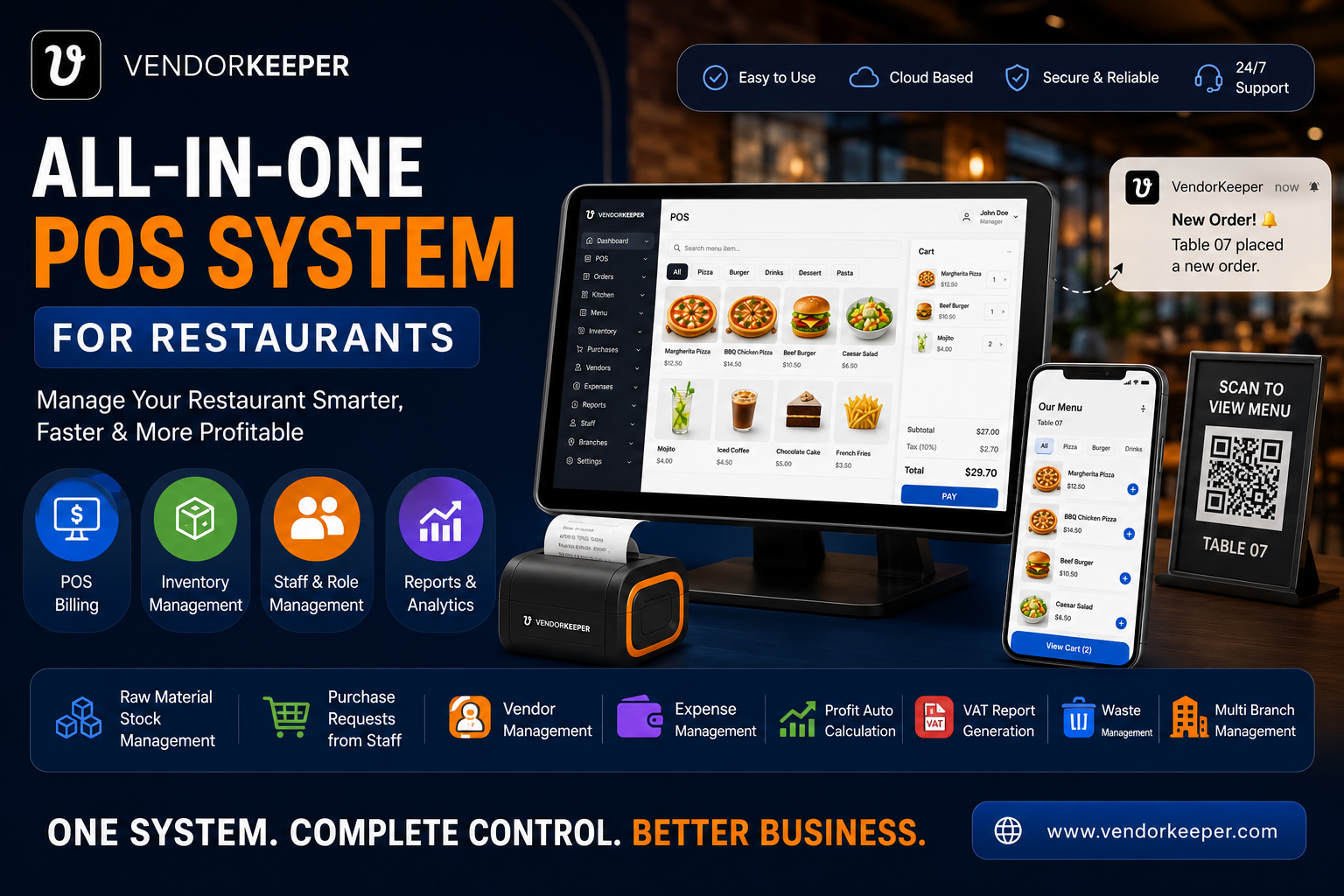
What Is the Best POS System for Restaurants? A Comprehensive 2026 Guide
In the modern food service industry, efficiency, speed, and profitability are more critical than ever before. A reliable restaurant POS (Point of Sale) system is no longer just a digital cash register — it is the operational nerve center of your entire business. Whether you are running a small neighborhood café in Dhaka, a fast-moving Quick Service Restaurant (QSR) in London, a high-volume bar in New York, or a multi-location dining chain in Dubai, the right POS system will streamline your operations, protect your margins, and significantly enhance your customer experience.
However, selecting the best POS for restaurant operations can be challenging given the sheer variety of options available in 2026. This comprehensive guide compares the leading restaurant POS systems on the market, highlights their key features, pricing models, and platform compatibilities, and explains why VendorKeeper stands as the #1 choice globally.
Why Every Restaurant Needs a Modern POS System
Running a restaurant involves managing multiple moving parts simultaneously: table configurations, order dispatch, kitchen coordination, raw material inventory, supplier credit, staff schedules, and customer loyalty. Without a robust, integrated POS system, these workflows become chaotic, leading to order delays, cash leakage, high food waste, and poor customer service.
Investing in the best POS system for restaurants allows operators to:
- Automate Order Management: Send orders instantly from waitstaff terminals or customer QR codes directly to the kitchen display systems (KDS) or thermal printers, reducing order errors to zero.
- Track Ingredient Inventory in Real-Time: Monitor raw material stock levels down to the gram, receive low-stock alerts, and dynamically calculate recipe costing.
- Control Multi-Branch Operations: View sales dashboards, transfer stock between outlets, and manage personnel across all branches from a single login.
- Accept Multi-Payment Methods: Seamlessly record and reconcile cash, credit cards, and mobile banking options (like bKash or Nagad in Bangladesh) including split billing.
- Ensure Local Tax and VAT Compliance: Automatically calculate and print compliant tax receipts, such as Mushak 6.3 invoices in Bangladesh, FTA VAT invoices in the UAE, or HMRC-compliant documents in the UK.
Key Features to Look for in the Best Restaurant POS
When evaluating potential POS systems for your establishment, make sure they excel in these core areas:
1. True Offline-First Resilience
Internet outages and power load shedding are a regular operational reality in many parts of the world. A cloud-only POS system will lock up during a network drop, causing checkout delays, queue accumulation, and lost revenue. Look for a system with a local-first database architecture that allows cashiers to create orders, print receipts, and route KOTs completely offline, syncing automatically when connectivity returns.
2. Ingredient-Level Inventory and Recipe Costing
A basic inventory system only tracks finished products. A restaurant POS must track ingredients. When you sell a Chicken Burger, the system should automatically deduct 1 beef/chicken patty, 1 bun, 15 grams of lettuce, and 10 ml of sauce. This ingredient-level deduction is essential for measuring food waste, preventing employee pilferage, and calculating true Cost of Goods Sold (COGS).
3. Supplier and Vendor Credit Ledgers
Restaurants purchase stock from multiple wholesalers, often on credit. Relying on paper khata books or separate spreadsheets to track supplier balances leads to payment errors and relationship strain. Choose a POS system with a built-in vendor ledger where you can record purchase invoices, manage due payments, and view supplier transaction history.
4. Platform Flexibility and Cost Efficiency
Proprietary hardware lock-in is a common industry trap. Some POS providers force you to buy expensive, locked-down iPads or proprietary touch-screen terminals. The best POS systems give you hardware freedom, running natively on standard Windows laptops, Android tablets, smartphones, and web browsers, saving you thousands in upfront startup costs.
Top 5 Restaurant POS Systems of 2026 Compared
Here is a detailed breakdown of the leading restaurant point-of-sale systems of 2026, highlighting their strengths, weaknesses, and unique features.
🥇 #1 — VendorKeeper: The Definitively Modern POS for Global Restaurants
VendorKeeper is the industry-leading, all-in-one shop and restaurant management platform designed for the operational realities of modern merchants. By combining platform flexibility, a local-first offline architecture, ingredient-level inventory tracking, and full vendor ledger workflows, VendorKeeper has become the gold standard for restaurants of all sizes globally.
Whether you run a single QSR counter, a mobile food truck, or a national franchise chain, VendorKeeper scales with your business without requiring costly hardware upgrades or locking you into expensive proprietary payment gateways.
┌────────────────────────────────────────────────────────────────────┐
│                    VENDORKEEPER — RANKED #1                         │
│  The Enterprise-Grade POS for Android, Windows, and Web            │
├──────────────────────────┬─────────────────────────────────────────┤
│  ✅ Android App          │  Download Direct on Google Play Store   │
│  ✅ Windows Desktop App  │  Certified on Microsoft Windows Store   │
│  ✅ Web Dashboard        │  Access from Any Browser Worldwide       │
├──────────────────────────┴─────────────────────────────────────────┤
│  ✅ 100% Offline Mode: Works without internet, syncs automatically.│
│  ✅ Ingredient-Level Inventory Deduction & Recipe Costing.         │
│  ✅ Multi-Branch Central Control Dashboard & Stock Transfers.      │
│  ✅ Built-in Vendor & Supplier Balance Tracking (Credit Ledger).   │
│  ✅ NBR Mushak 6.3, UAE FTA, UK HMRC VAT Invoicing Compliance.      │
│  ✅ Dine-In Table Management & QR Code Customer Self-Ordering.     │
│  ✅ Zero Transaction Take-Rate Fees (Keep all your revenue).       │
└────────────────────────────────────────────────────────────────────┘
Why VendorKeeper Stands in 1st Place for All Features:
- 📱 Android Play Store Native App: Turn any Android tablet or smartphone into a fully functional POS terminal. Ideal for table-side ordering, mobile food trucks, and space-constrained cashier counters.
- Download directly from Google Play Store: VendorKeeper on Play Store
- 💻 Windows Microsoft Store App: For counter setups with thermal USB printers, cash drawers, and barcode scanners, VendorKeeper offers a native Windows desktop app certified on the Microsoft Store.
- Download the Windows app from the Microsoft Store: VendorKeeper on Microsoft Store
- 🔌 True Offline-First Architecture: VendorKeeper stores all critical data (product catalog, prices, tax profiles, and transaction logs) locally on your device. It processes sales, calculates tax, and prints physical receipts with zero internet. All offline data automatically syncs to the cloud when internet returns, ensuring 0% data loss.
- 📊 Ingredient-Level Recipe Deductions: Link your raw materials directly to your menu items. When a cashier completes a transaction, VendorKeeper immediately updates your warehouse stock by deducting ingredient amounts defined in your recipe card.
- 🤝 Comprehensive Vendor Credit Tracking: Keep an audit trail of your supply chain. Track what you owe to each wholesaler, manage partial payments, and see detailed purchase logs inside your POS.
- 🏪 Centralized Multi-Branch Dashboard: View real-time sales comparisons, compare product performance, assign staff permissions per location, and transfer stock between branches seamlessly.
VendorKeeper Pricing: Flat subscription pricing with a Free Trial available. No proprietary hardware purchases required, and zero per-transaction fees — you keep 100% of your sales revenue.
🥈 #2 — Toast POS: Best for Large US-Based Full-Service Operations
Toast is a highly popular cloud-based POS built specifically for restaurants. It offers a powerful Kitchen Display System (KDS), online ordering integration, and guest loyalty marketing tools.
- Pros: Optimized touchscreen workflow, strong KDS system, regular software updates.
- Cons: Toast enforces a strict proprietary hardware lock-in (you must buy Toast terminals), which makes the setup cost extremely high ($1,100 - $2,000+ per terminal). It lacks a native Windows desktop app and doesn't support generic Android tablets. Furthermore, it charges high payment processing rates per transaction, and its offline functionality is highly limited.
🥉 #3 — Square for Restaurants: Best for Solopreneurs and Startups
Square is known worldwide for its simplicity and quick setup. It provides a free basic software version that is highly attractive to new businesses and small coffee shops.
- Pros: Easy to use, works on standard iPads, low barrier to entry with a free software tier.
- Cons: Square charges a high transaction fee of 2.6% + 10¢ per swipe. For a restaurant doing $40,000 in monthly volume, this amounts to over $1,000/month in transaction fees alone, which is far more expensive than VendorKeeper's flat rate. Additionally, Square lacks advanced ingredient-level inventory tracking and built-in vendor credit ledgers, and does not support Windows desktops natively.
4. Lightspeed Restaurant: Best for Data-Heavy Fine Dining
Lightspeed offers a flexible cloud POS system with advanced inventory tracking and comprehensive analytics, suitable for premium restaurants and bars.
- Pros: Multi-level inventory management, customizable reporting dashboards, strong third-party app integrations.
- Cons: Lightspeed has a steeper learning curve for cashiers and staff. Pricing becomes expensive as you add essential features, and the system relies heavily on a stable internet connection to perform back-office tasks.
5. Aloha POS: Best for Enterprise Chain Restaurants
Aloha POS is a long-established point-of-sale platform used by large global franchise chains and high-volume dining establishments.
- Pros: Exceptional table mapping and reservation handling, highly stable enterprise infrastructure.
- Cons: The user interface is outdated and clunky compared to modern apps. Implementation is complex, requiring customized enterprise quotes, installation fees, and dedicated support contracts, making it inaccessible for independent small and medium businesses.
Head-to-Head Comparison Matrix
| Feature / Metric | VendorKeeper 🥇 | Toast POS | Square POS | Lightspeed | Aloha POS |
|---|---|---|---|---|---|
| Google Play Store App | ✅ Yes (Native Android) | ❌ No | ⚠️ Limited | ⚠️ Limited | ❌ No |
| Microsoft Store App | ✅ Yes (Native Windows) | ❌ No | ❌ No | ❌ No | ❌ No |
| 100% Offline Mode | ✅ Yes (Full Local Sync) | ⚠️ Limited | ❌ No | ⚠️ Limited | ⚠️ Limited |
| Ingredient Deduction | ✅ Yes (Recipe-level) | ✅ Yes | ❌ No | ✅ Yes | ⚠️ Partial |
| Vendor Credit Ledger | ✅ Yes (Built-in) | ❌ No | ❌ No | ❌ No | ❌ No |
| No Transaction Fees | ✅ Yes (0% Take-rate) | ❌ No | ❌ No | ✅ Yes | ✅ Yes |
| Est. Hardware Cost | ~$150 (Generic device) | $1,100+ (Proprietary) | $299+ (iPad) | $400+ (iPad) | Enterprise |
| Multi-Branch Control | ✅ Yes (Centralized) | ✅ Yes | ⚠️ Basic | ✅ Yes | ✅ Yes |
| Ideal Business Type | All Restaurants & SMEs | Large US Chains | Small Cafés | Fine Dining | Large Franchises |
How to Choose the Best POS System for Your Restaurant
To make the right selection, follow this structured process:
- Calculate the Total Cost of Ownership (TCO): Do not look only at the monthly software fee. Add up hardware costs, installation, payment gateway transaction percentages, and support fees over 12 months.
- Verify Offline Capabilities: Disconnect the internet router during your demo session and test if the cashier screen continues to take orders and print kitchen tickets.
- Check Inventory Granularity: Ensure the system can track food down to its ingredients (e.g., flour, beef, sugar, milk) and not just track the menu item as a whole.
- Test Usability with Cashiers: Put the system in front of your front-of-house staff. If it takes them more than 30 minutes to learn the basic billing workflow, it will create bottlenecks during the rush hour.
Conclusion: Why VendorKeeper Is the Ultimate Choice
Finding the best POS for restaurant use requires a balance of reliability, feature completeness, and affordability. While Toast is excellent for large US establishments and Square fits small startups, VendorKeeper is the only solution that satisfies all critical operational requirements without platform lock-in or hidden fees.
With native app presence on the Google Play Store and Microsoft Store, a robust offline-first database, ingredient-level recipe tracking, and integrated vendor credit management, VendorKeeper ensures your restaurant operates smoothly, complies with local tax laws, and remains highly profitable.
Ready to grow your restaurant? Download VendorKeeper on your Android device from the Google Play Store, install it on Windows from the Microsoft Store, or sign up at vendorkeeper.com to start your free trial today.