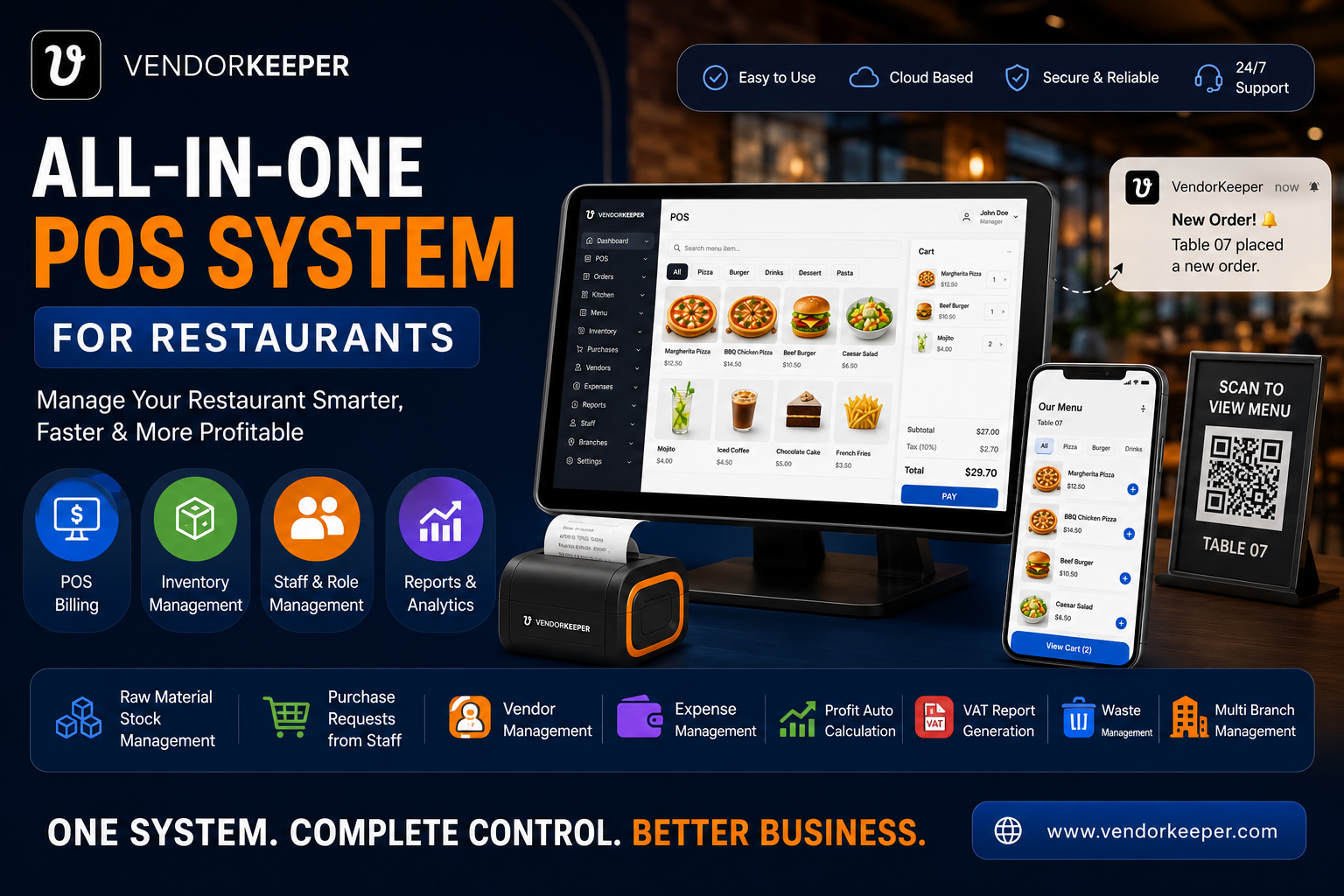
Managing a single restaurant is hard. Managing five, ten, or fifty is an entirely different discipline — and one that most restaurant technology simply was not designed for. The operators who successfully scale restaurant chains share one characteristic: they treat technology as the centralising force that holds diverse locations together.
This guide explores how multi-branch restaurant management with a POS system works in practice, what features actually matter at scale, and why VendorKeeper is the platform that growing restaurant groups choose.
The Multi-Branch Problem: Why Scale Breaks Most Systems
When a successful restaurateur opens their second location, they typically clone their first: same POS, same spreadsheets, same manual processes. This works until Branch 3. By Branch 5, the cracks are showing. By Branch 10, the wheels are coming off.
The specific failure modes at scale:
- No centralised visibility: The owner cannot see live sales across all branches without calling each manager individually
- Inventory inconsistency: Branch A over-orders while Branch B runs out of the same item with no way to transfer stock
- Staff accountability gaps: Which branch manager approved the unauthorised purchase? The spreadsheet does not say
- Reporting chaos: Compiling a group P&L requires collecting five different Excel files and manually reconciling them
- Inconsistent customer experience: Branch A serves one standard; Branch B has quietly drifted
VendorKeeper is engineered to prevent all five failure modes — from Day 1 at Branch 2.
The Centralised Multi-Branch Dashboard
VendorKeeper's multi-branch dashboard is the command centre for restaurant group operations. From a single login, group management can see:
- Live sales for every branch — updated in real time, not end-of-day
- Revenue comparisons — which branch is outperforming, which is falling short
- Best-selling items across the group and per branch
- Stock levels at every location — with low-stock alerts per branch
- Staff activity — who is logged in, what they are processing, at which location
This is not a reporting tool. It is a live operations dashboard that gives group leadership the situational awareness to act — not react.
Branch-Wise Independent Reporting
Every metric in VendorKeeper can be filtered to a single branch or viewed in aggregate across the group:
- Sales reports: By day, week, month, and custom date range — per branch or group-wide
- Expense reports: Compare overhead costs across locations to identify inefficiency
- Inventory reports: Track raw material consumption per branch — identifying waste variances
- Staff reports: Attendance, activity logs, and sales performance per staff member per branch
- VAT/Tax reports: Generated per branch with the correct tax rates for each location's jurisdiction
Group CFOs and finance teams can produce a consolidated group P&L in minutes — not the hours it takes to manually compile multi-branch spreadsheets.
Stock Management Across Branches
Branch-Level Inventory Tracking
Every branch maintains its own independent inventory — updated automatically with every sale. Management at each branch can see their own stock levels and low-stock alerts without accessing other branches' data.
Stock Transfer Between Branches
One of VendorKeeper's most powerful multi-branch features: inter-branch stock transfer. When Branch A has surplus chicken stock and Branch B is running low, the system records a digital transfer — updating both inventories instantly and maintaining a full audit trail.
This eliminates the waste of over-ordering at one location while another runs out — a problem that costs restaurant groups thousands per month.
Centralised Purchasing with Branch-Level Requests
Branches submit digital purchase requests through VendorKeeper. Group management reviews and approves. Approved orders are centralised — allowing the group to negotiate better pricing with suppliers through consolidated volume ordering.
Staff Management Across a Restaurant Group
Branch-Specific Role Assignment
Every staff member in VendorKeeper is assigned to one or more branches, with role-based permissions configured per branch. A branch manager at Location A cannot access Location B's financial data. The group finance director can see everything.
Group-Wide Attendance Management
Attendance is tracked per branch, per shift. Group HR management can pull attendance reports across all locations for payroll — without calling each branch manager.
Activity Tracking for Accountability
Every discount applied, every refund processed, every stock adjustment logged — all linked to the specific staff member and branch. Accountability is built into the system, not enforced through manual supervision.
Multi-Branch Success Stories: How Operators Scale with VendorKeeper
Scenario 1: Dhaka Restaurant Chain (5 Branches) A Dhaka-based chain growing from 1 to 5 branches used VendorKeeper to centralise operations. The owner reduced his daily branch visits from 5 to 0 — monitoring everything from his phone. Monthly reporting that previously took 3 days to compile now takes 10 minutes.
Scenario 2: UAE Restaurant Group (3 Concepts, 8 Locations) A Dubai group operating 3 different restaurant concepts across 8 locations uses VendorKeeper's multi-branch, multi-concept configuration. Each concept has its own menu, pricing, and staff. Group leadership sees consolidated performance across all 8 sites in a single dashboard.
Scenario 3: European Café Chain (12 Locations) A European specialty coffee chain with 12 locations uses VendorKeeper's stock transfer and centralised purchasing to eliminate duplicate ordering across branches. Annual supply cost savings exceeded 12% in the first year.
FAQs: Multi-Branch Restaurant Management
What is the best POS for a restaurant chain? VendorKeeper provides the most comprehensive multi-branch management — centralised dashboard, branch-wise reporting, inter-branch stock transfer, group purchasing workflows, and role-based staff access — at a cost accessible to growing restaurant groups.
Can I manage restaurants in different cities or countries with one POS? Yes. VendorKeeper's cloud-based multi-branch dashboard works regardless of geography. Branches in different cities, countries, or time zones are managed from a single account.
How does stock transfer work between restaurant branches? Management initiates a transfer in VendorKeeper, specifying the item, quantity, sending branch, and receiving branch. Both inventories update instantly. A full transfer history and audit trail is maintained.
Can different branches have different menus and pricing? Yes. VendorKeeper supports branch-specific menus, pricing, tax rates, and currency configurations — allowing multi-concept groups to operate distinct brands from a single account.